We are excited to announce the 23R1.2 release. The new capabilities delivered include:
Platform
Sharing Settings
Users can now manage roles and access to jobs via sharing settings in the Portal. These roles determine the user’s permissions (allowed actions) on the job. Roles can be assigned to individual users or groups. Users can also subscribe to job email notifications (e.g. job completion emails) via sharing settings.
Sharing settings are initially assigned upon submitting a new job, and can be changed at any time in the Job Manager. When submitting a job, you will be prompted to provide a name and select a license (if applicable) for your query. By default, the user submitting the job is assigned as the Owner role, and any groups associated with the selected license are added to the Viewer role.
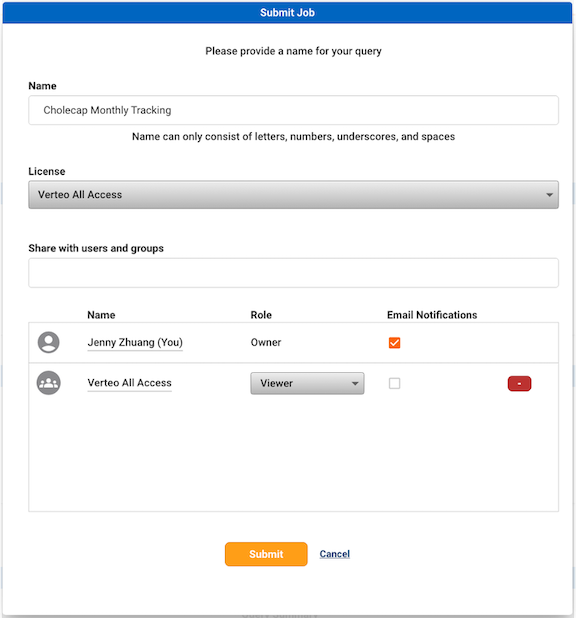
You can add additional users and groups to the sharing settings by searching in the “Share with users and groups” search bar, then clicking to select the user or group. The list of available users and groups will be filtered to those associated with the selected license.
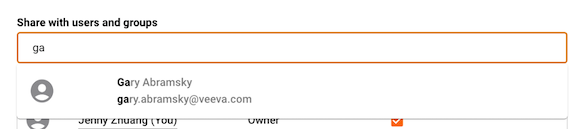
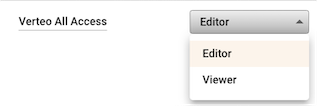
By default, the newly added user/group will be assigned the Viewer role. To update the role for a user or group, click on the drop-down menu in the Role column. Refer to Sharing Settings for more information on permissions granted for each role.
You can also subscribe users or groups to receive email notifications related to the job, such as when the job completes or is cancelled. To subscribe a user or group to email notifications, select the “Email notifications” checkbox.

For more information on creating sharing settings when submitting a new job, refer to Review & Submit. For more information on managing sharing settings for existing jobs, refer to Job Manager