On This Page
Navigating Delivery Tracking
Compass Data Connector is an add-on to Compass Patient. The Data Connector tab allows you to analyze completed Genomics, Lab Results, and Specialty Pharmacy deliveries. If you are not licensed to use Compass Data Connector, the Delivery Tracking tab will be disabled.
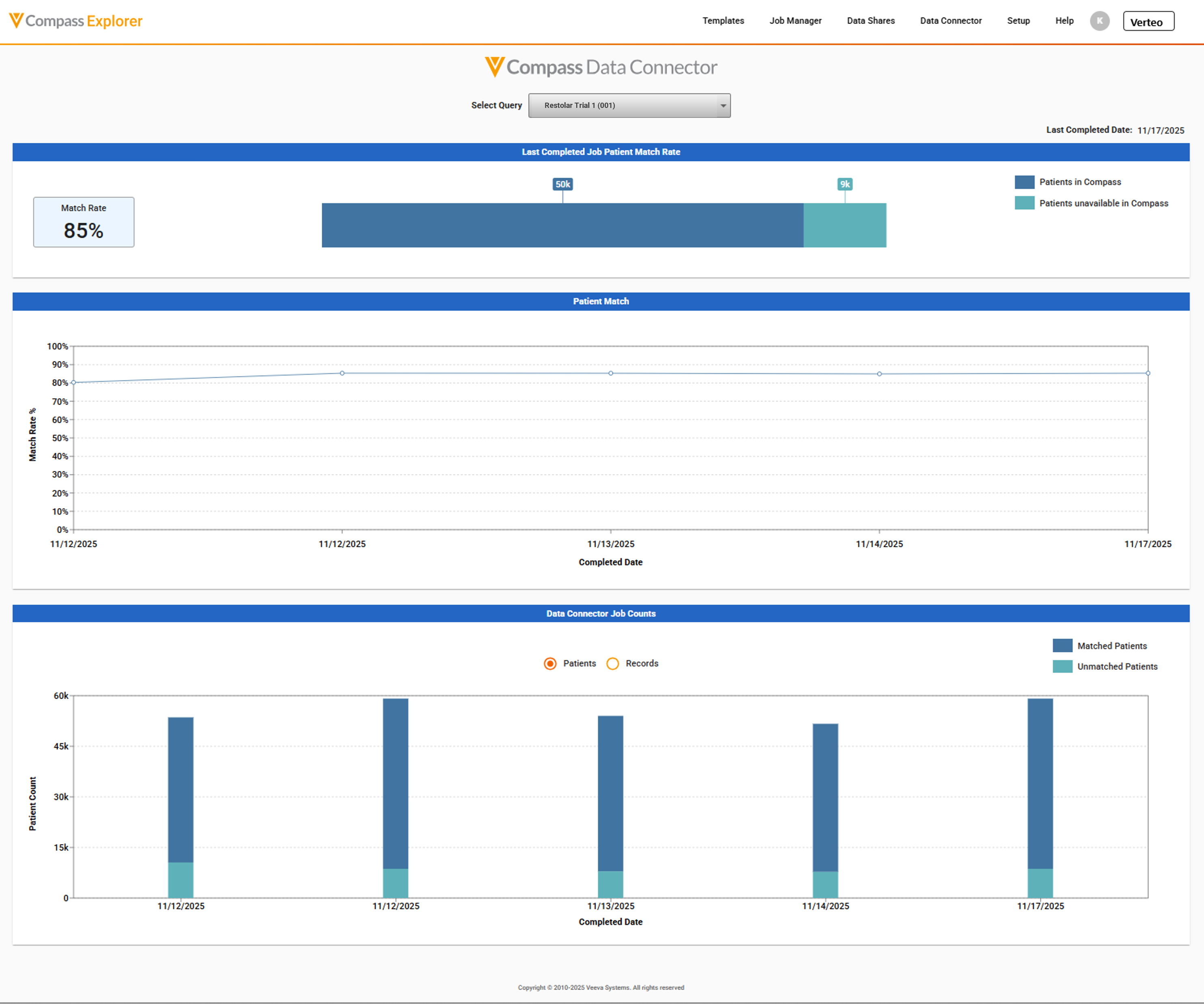
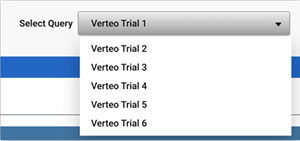
To analyze and visualize your Data Connector feeds, select the recurring query from the Select Query drop-down. If multiple Data Connector feeds are licensed, the first query name in ascending alphabetical order is displayed. Metrics are generated for your selection.
Last Completed Job
Once a query has been selected, the first section displays metrics pertaining to the most recently completed job for that query and the Last Completed Date displays its job delivery date.
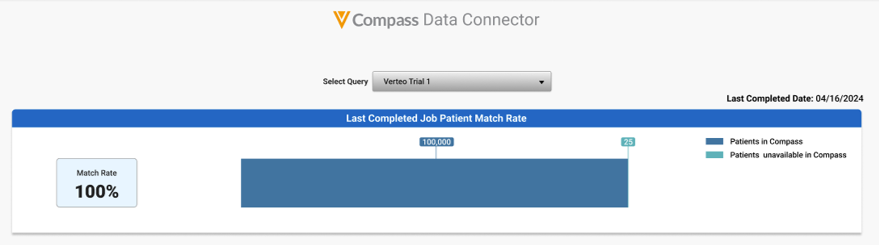
The Last Completed Job Patient Match Rate section contains:
- The Match Rate displays the percentage of patients in your job that are present in the full Compass network
- A bar chart indicates the number of patients present in the full Compass network and the number of new patients unavailable to Compass in the most recent job
Patient Match Trend
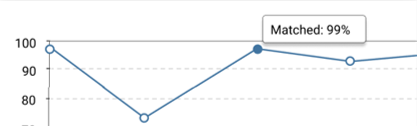
The second section provides a patient match trend of the most recent twelve jobs for the selected query. It shows the match rate over the last twelve Data Connector job completion dates for the selected query.
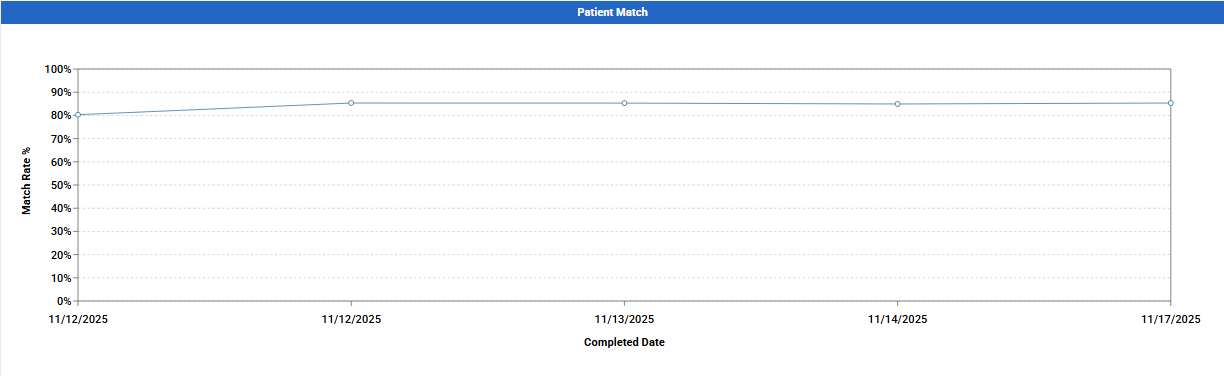
To see the data label for a job, hover on the data point circle which remains visible until you hover off the data point.
Job Counts Trend
The third section displays stacked bar charts for patient and record counts. You can toggle between viewing Patients and Records by using the buttons at the top of the chart.
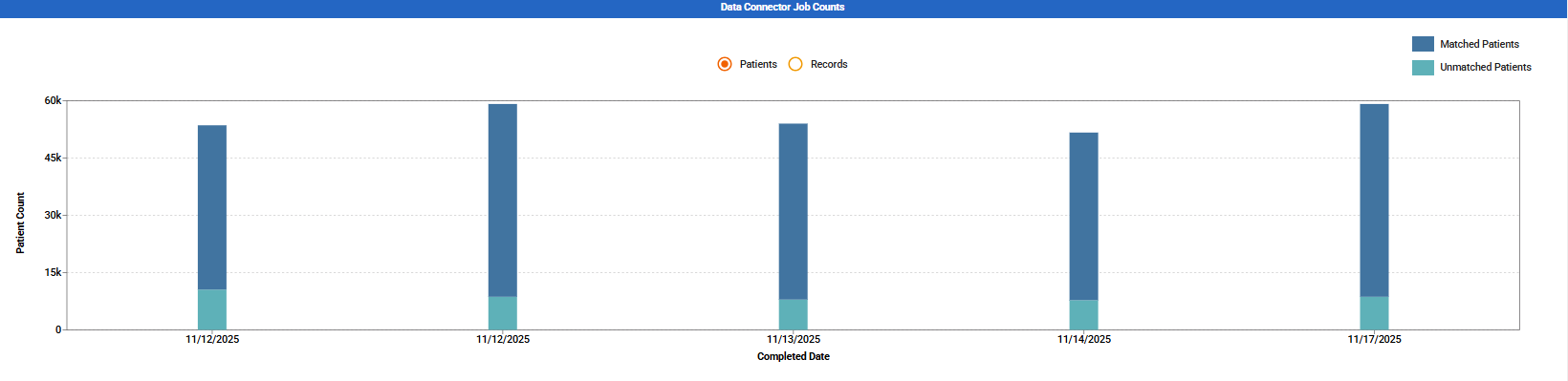
The patients chart shows the number of patients matching the full Compass network and the number of new patients unavailable in the Compass network over time for the most recent twelve Data Connector jobs pertaining to the selected query.
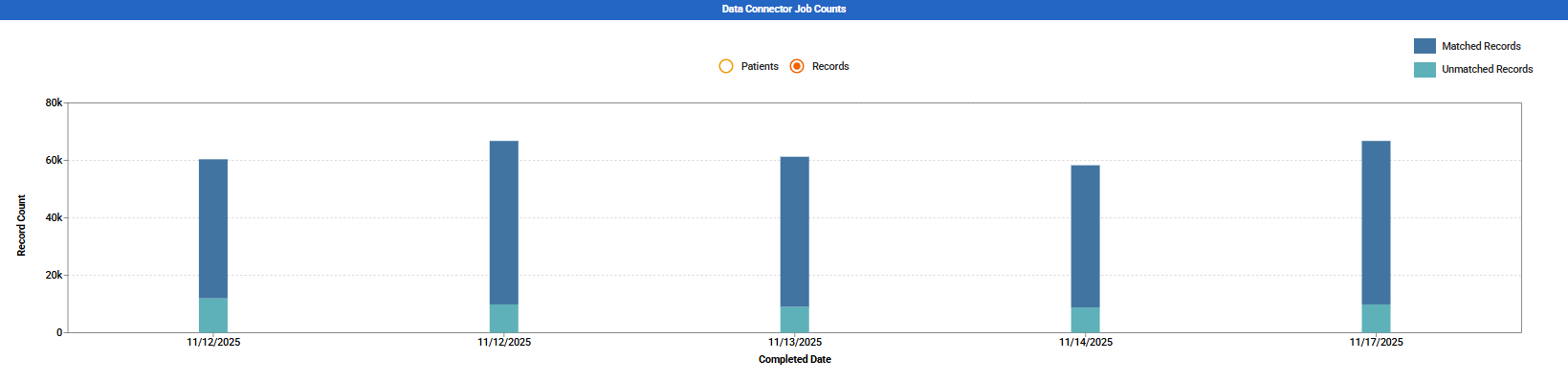
The records chart shows the number of records with patients that match the full Compass network and the number of records with new patients unavailable in the Compass network over time for the most recent twelve Data Connector jobs pertaining to the selected query.
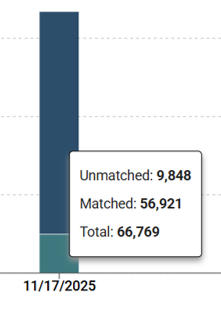
To see the data label for a job, hover on the stacked bar and the data label remains visible until you hover off the data point.
To track Data Connector queries and jobs and view their job receipts, Navigate to the Job Manager tab.