We are excited to announce the 21R3 Release. The new capabilities delivered include:
Platform
Tagging Licenses
- Users now have the ability to select the Veeva Compass license for their data pull, enabling different file path directories per license.
- This functionality is useful for companies with multiple licenses by allowing teams to more clearly maintain separate data pulls and data deliveries.
- For users with more than 1 license: users will now select from the drop-down menu when saving and submitted data pulls
- For users with 1 license: No changes in data pull experience
- All users will now be able to view the license associated with a data pull in their query details
Compass Patient
Save as Template from Qualification Criteria
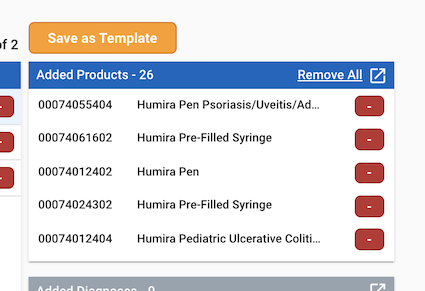
- Create templates while setting up Qualification Criteria in Compass Patient data pulls.
- Use this feature to save time when creating future data pulls by saving commonly used sets of codes as Templates. Templates can easily be referenced when setting up a data pull to add in the set of codes to the query criteria. Templates can be used to create data pulls for both Patient Data and Explorer.
- Click the “Save as Template” button to save the added products, diagnosis codes, and/or procedures codes as templates to use in future data pulls